

Trading Experts for MT5
FinPip Session Boxes
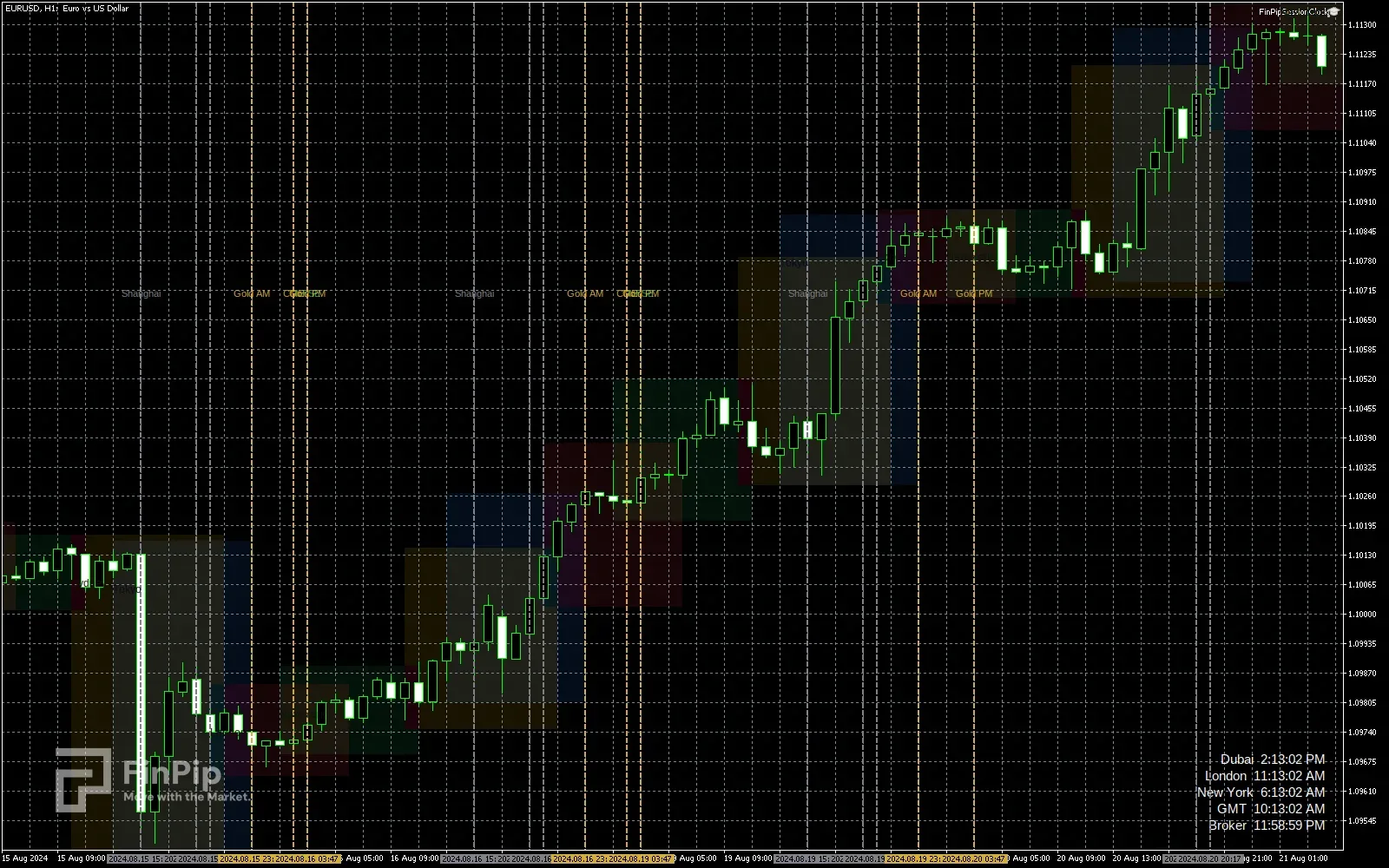
Session boxes drawn to each session’s own high and low
Most session indicators shade a fixed band across the hours a market is open. This one measures instead: each box spans the candles that fall inside the session and is exactly as tall as the high and low those candles made, so the box tells you what the session did rather than only when it happened. Ten sessions are drawn and twelve market opens are marked with dotted lines — Tokyo, Hong Kong, London, the LBMA gold fixes, COMEX and New York — each anchored to its own city and resolved through that city’s daylight-saving rules. One button shows or hides the lot, and a clock sits in the corner.
- Free
- Indicator
- MetaTrader 4 & 5
- .ex5 + .ex4
Key features
- Boxes sized to the real high and low of each session, not a fixed-height band.
- Ten sessions: Tokyo pre-open through to the US afternoon.
- Twelve market-open lines, including both LBMA gold fixes and the COMEX open.
- Every time anchored to its own city, with London and New York daylight saving handled automatically.
- One button shows or hides every box, line and label at once, remembered per chart.
- Rounded, translucent boxes drawn behind the candles — price keeps its own colours.
- A clock in the corner, on any timezone offset you choose.
Key inputs
- InpDaysBack / InpDaysAhead
- How many days of sessions to draw behind, and how far ahead to project the market-open lines.
- InpBrokerGmtOffset
- Your broker’s GMT offset. Left at 99 it is detected; set it explicitly if your broker shifts with its own daylight saving.
- InpMaxTimeframeMinutes
- The highest timeframe it draws on. Above it nothing is drawn: the shortest session is thirty minutes, which is less than one candle on an hourly chart.
- InpBoxOpacity / InpBorderOpacity / InpCornerRadius
- How the boxes look: fill and border strength as percentages, and the corner radius in pixels.
- InpShowClock / InpClockGmtOffset
- The corner clock and the timezone it reads, as hours from GMT.
How to install
- 1
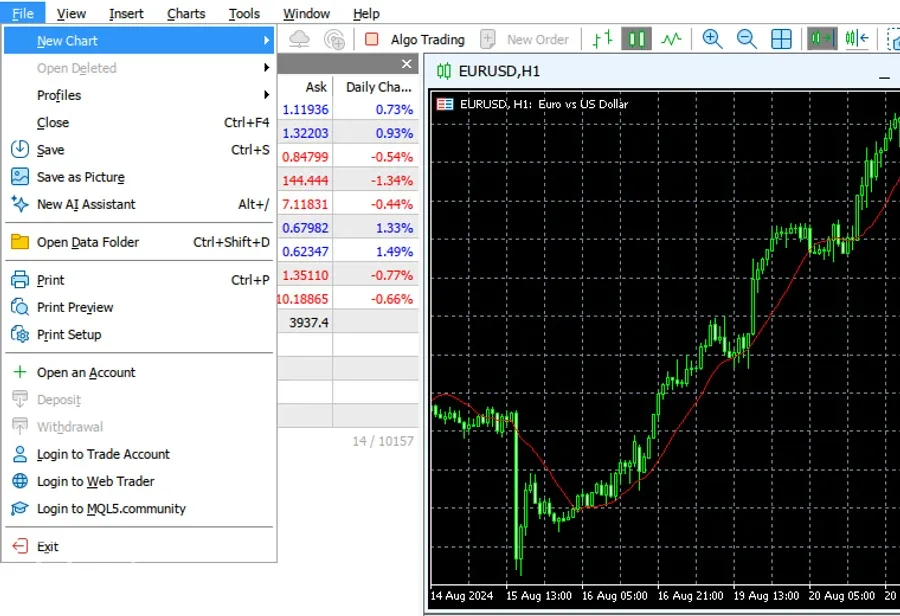
In MetaTrader 5 open File → Open Data Folder, then go to MQL5 › Indicators.
- 2
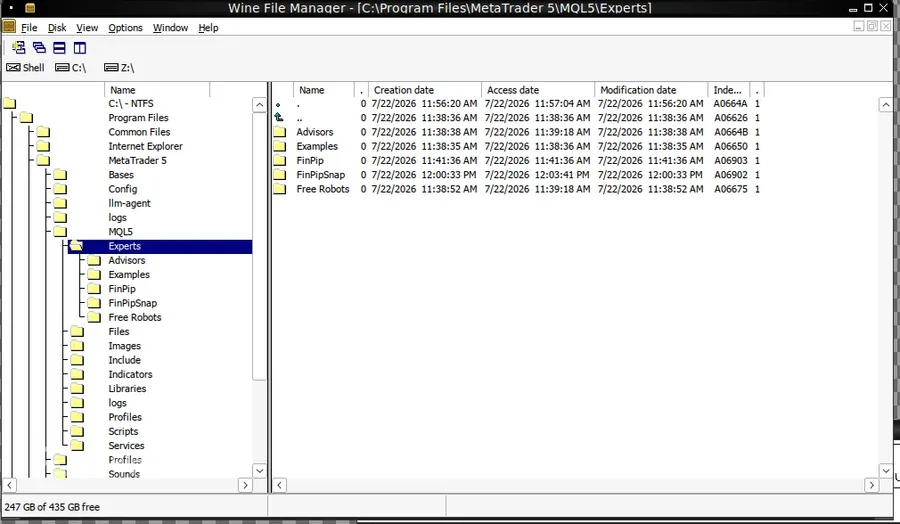
Copy the downloaded .ex5 file into that Indicators folder.
- 3
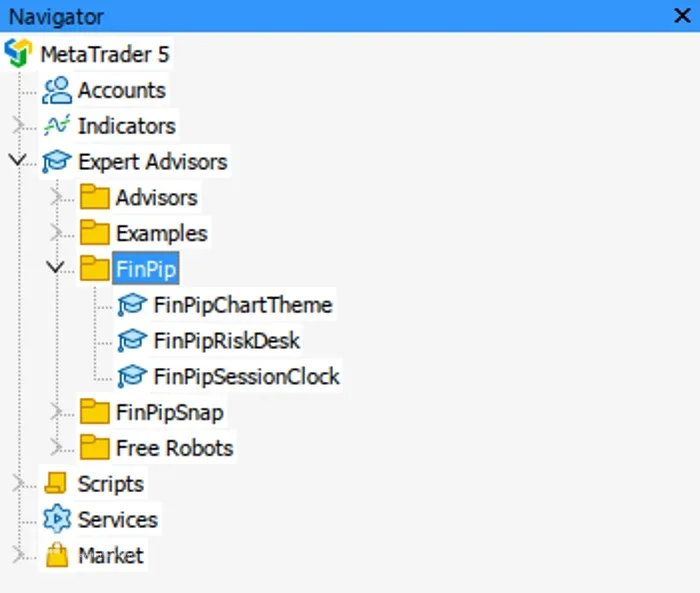
Back in MT5, right-click Navigator → Refresh — it appears under Indicators.
- 4
Drag it onto a chart. No Algo Trading needed — an indicator only draws.
Download is the ready-to-use compiled expert (.ex5) — just drop it into MT5 (no compiling needed). It is a manual charting/trading tool, not an automated strategy, and it makes no profit claims.